Édition IA des fiches
Ajustez questions, difficulté, images ou mise en page en quelques secondes par chat ou à la voix.
Générateur de fiches IA avec téléchargement PDF et Word. Partez de vos idées, DOCX, PDF ou images, relisez les réponses et modifiez le contenu avant le téléchargement.
Essai gratuit · Votre consigne est prête à modifier · Aucune compétence en design requise
WordPilot en pratique
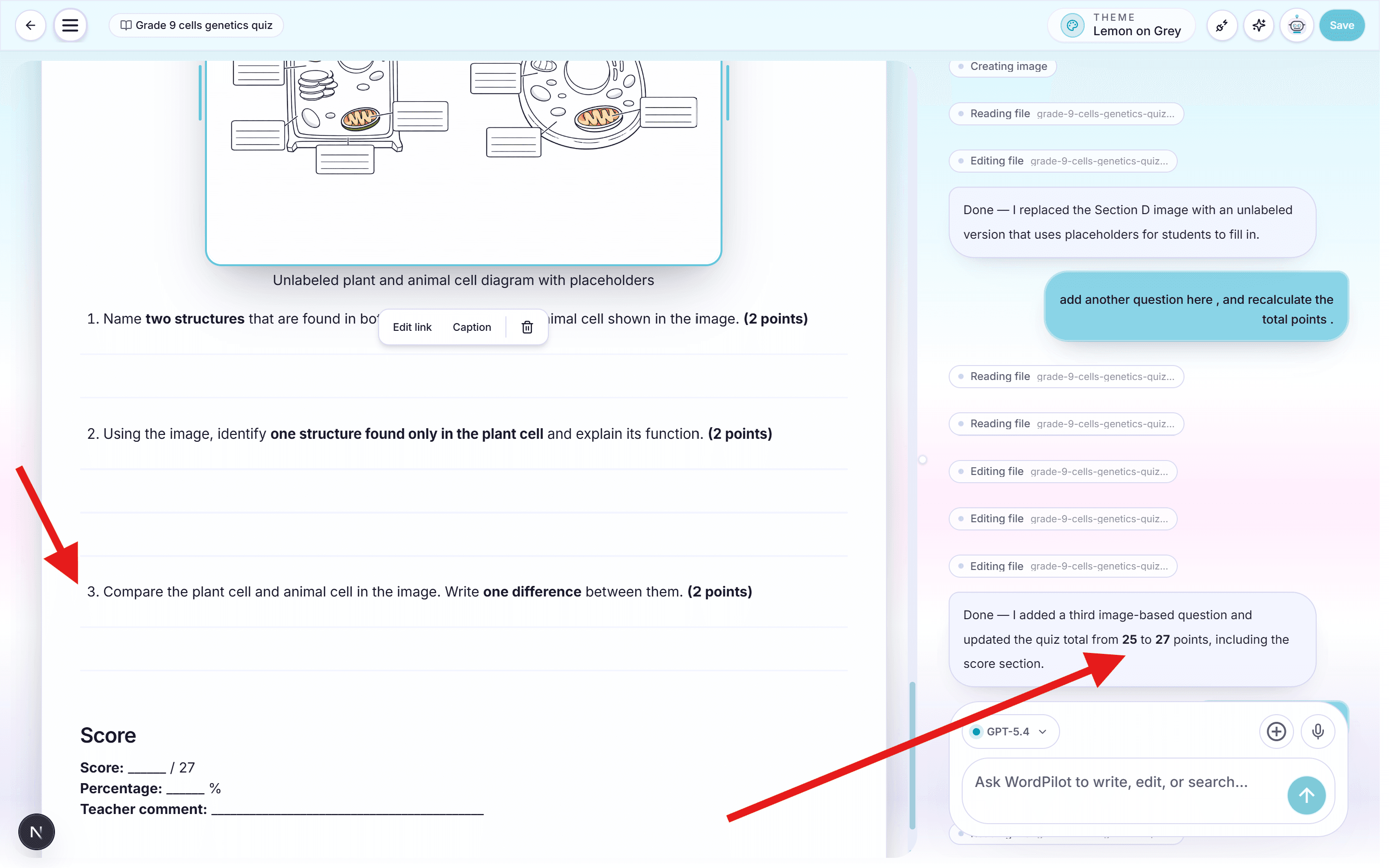
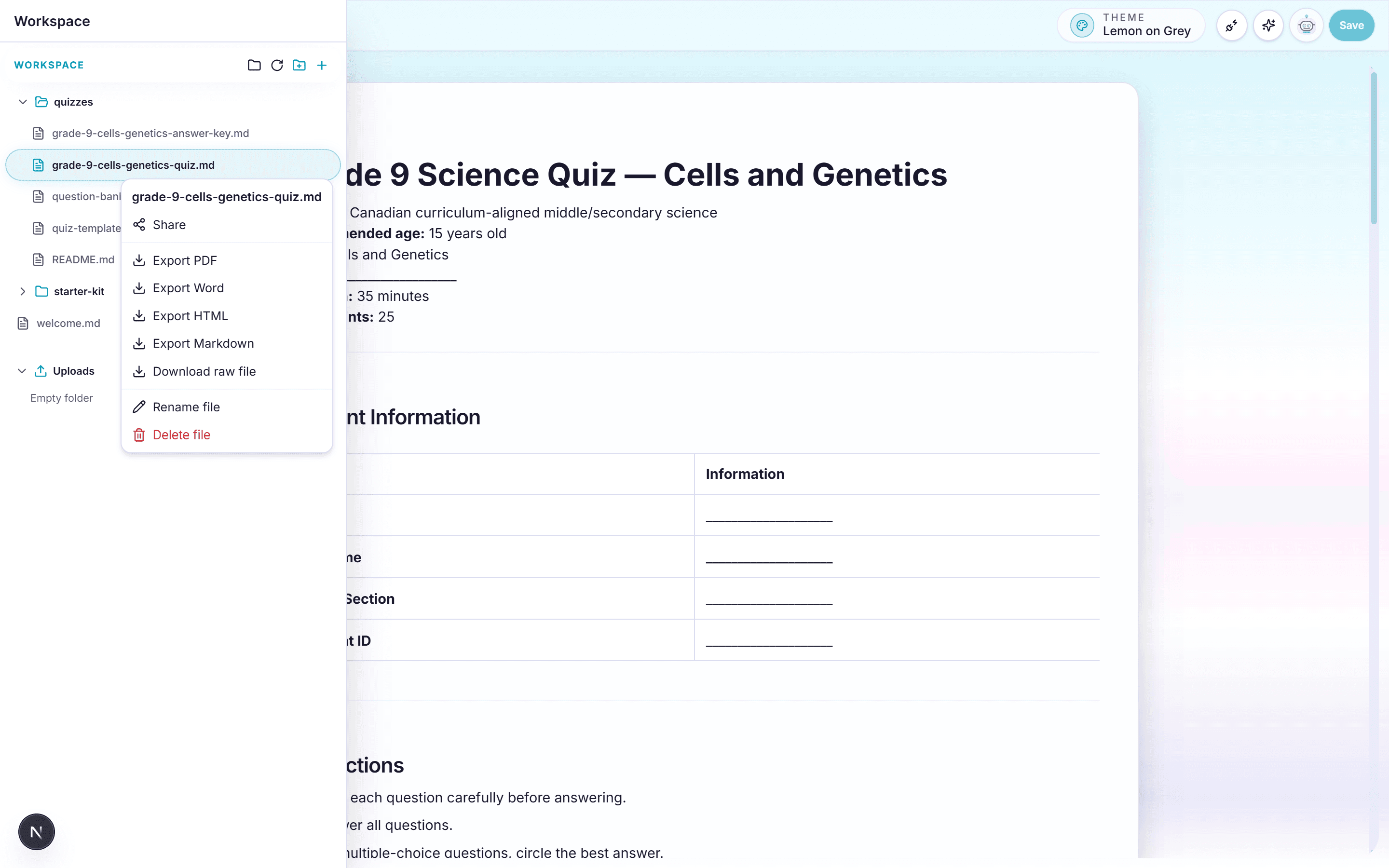
Conçu autour du document imprimé
Que vous ayez besoin d’un quiz d’entrée, d’un rappel de leçon ou d’un devoir, WordPilot crée des fiches prêtes pour la classe sur n’importe quel sujet et à tout niveau. Générez des activités uniques adaptées à vos objectifs, avec QCM, réponses courtes, ouvertes, cloze et textes à trous — prêtes à modifier, exporter, partager ou imprimer.
Exemple de conversation
Crée cette fiche pour ma classe, ajoute le corrigé et garde une mise en page facile à imprimer.
La première version est prête. Relisez les questions et la mise en page.
Simplifie la question 2, ajoute un exemple et fais tenir le document sur deux pages.
Comment ça marche
Partez d’une leçon existante, joignez des notes ou un PDF, ou commencez avec la matière et l’objectif d’apprentissage.
Indiquez le niveau et alignez les activités sur votre curriculum local, national ou vos référentiels.
Créez une fiche unique pour votre classe, prête à modifier, télécharger, partager ou imprimer — avec corrigé si besoin.
Idéal pour les éducateurs
Ajustez questions, difficulté, images ou mise en page en quelques secondes par chat ou à la voix.
Créez démarrages, devoirs, rappels et packs d’entraînement sans tout recommencer à chaque fois.
Joignez notes de cours, photos de manuel, PDF ou textes pour ancrer la fiche dans votre matériau réel.
Structures claires, faciles à imprimer pour entraînement, quiz, espace d’écriture et questions mixtes.
Téléchargez une fiche élève soignée et un corrigé enseignant pour la classe ou le devoir.
Créez en un éclair des versions plus simples, étayées ou plus exigeantes sur le même sujet.
WordPilot réduit le temps de production. Le jugement de l'enseignant reste la référence finale de qualité.
Questions fréquentes
Oui. Affinez-la par chat, à la voix ou directement sur la page : typographie, couleurs, mise en page, puis export.
Oui. Demandez des versions plus simples, étayées ou plus difficiles avec le même objectif — ou des charges de travail différentes pour les groupes.
Vous pouvez préciser année, curriculum et standards (pays ou référentiels). WordPilot rédige selon ce brief ; la vérification finale d’alignement vous appartient.
Oui. Demandez QCM, réponses courtes, ouvertes, cloze, textes à trous, associations, vrai/faux ou un mélange — plus un corrigé si besoin.
Oui. Dupliquez un projet et demandez d’adapter difficulté, langue, exemples ou année tout en gardant la structure du sujet.
Oui, pour les documents. Enregistrez les modifications avant de choisir Word (.docx). Le contenu reste modifiable mais peut changer de page. Préférez PDF pour conserver la disposition ; les quotas habituels s’appliquent.
Ajoutez un DOCX, un PDF ou une image comme ressource. Demandez de conserver les illustrations originales, puis affinez par conversation ou édition manuelle. Enregistrez vos modifications avant de télécharger. Le PDF conserve la disposition ; Word permet de poursuivre l’édition, mais peut modifier la pagination.
Autres outils pédagogiques
Passez de la préparation aux exercices, à l'évaluation et aux documents scolaires sans recommencer le contexte.
Générateur d’évaluations IA avec corrigé, PDF et Word. Partez de vos idées, DOCX, PDF ou images, relisez les réponses et modifiez le contenu avant le téléchargement.
Lire la pagePlans de cours IA et supports pédagogiques modifiables. Partez de vos idées, DOCX, PDF ou images, relisez les réponses et modifiez le contenu avant le téléchargement.
Lire la pageWordPilot aide les enseignants à créer, relire et améliorer fiches d'exercices, évaluations, cours, corrigés, grilles et documents scolaires par chat ou à la voix, puis à les exporter en PDF.
Lire la pageCréez un CV professionnel d'enseignant, d'éducateur ou de personnel scolaire avec WordPilot. Affinez chaque partie par chat ou à la voix, puis téléchargez un PDF prêt à envoyer.
Lire la page