Séances quotidiennes
Objectifs, critères de réussite, matériel, étapes minutées, questions et conclusion.
Plans de cours IA et supports pédagogiques modifiables. Partez de vos idées, DOCX, PDF ou images, relisez les réponses et modifiez le contenu avant le téléchargement.
Essai gratuit · Votre consigne est prête à modifier · Aucune compétence en design requise
WordPilot en pratique
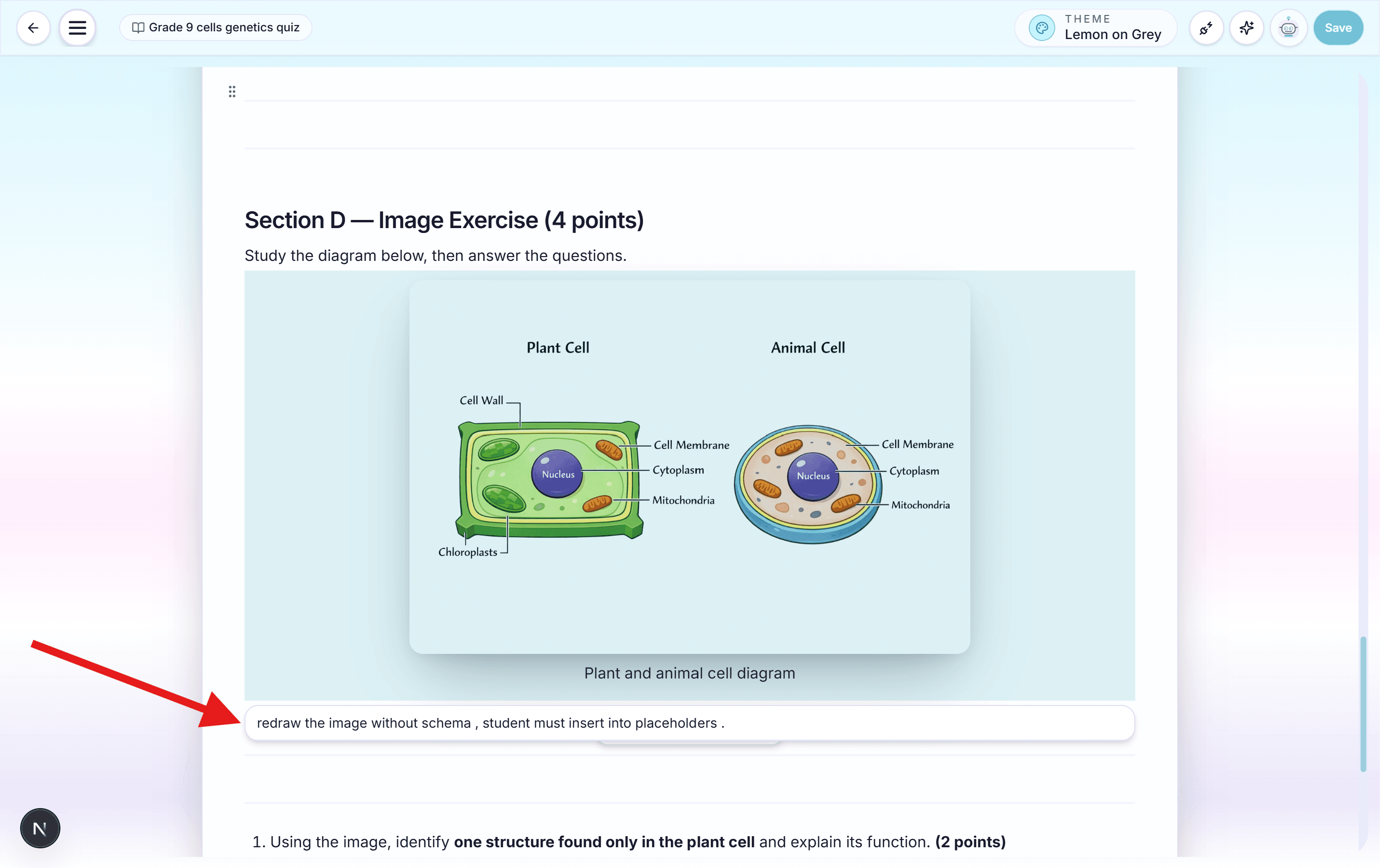
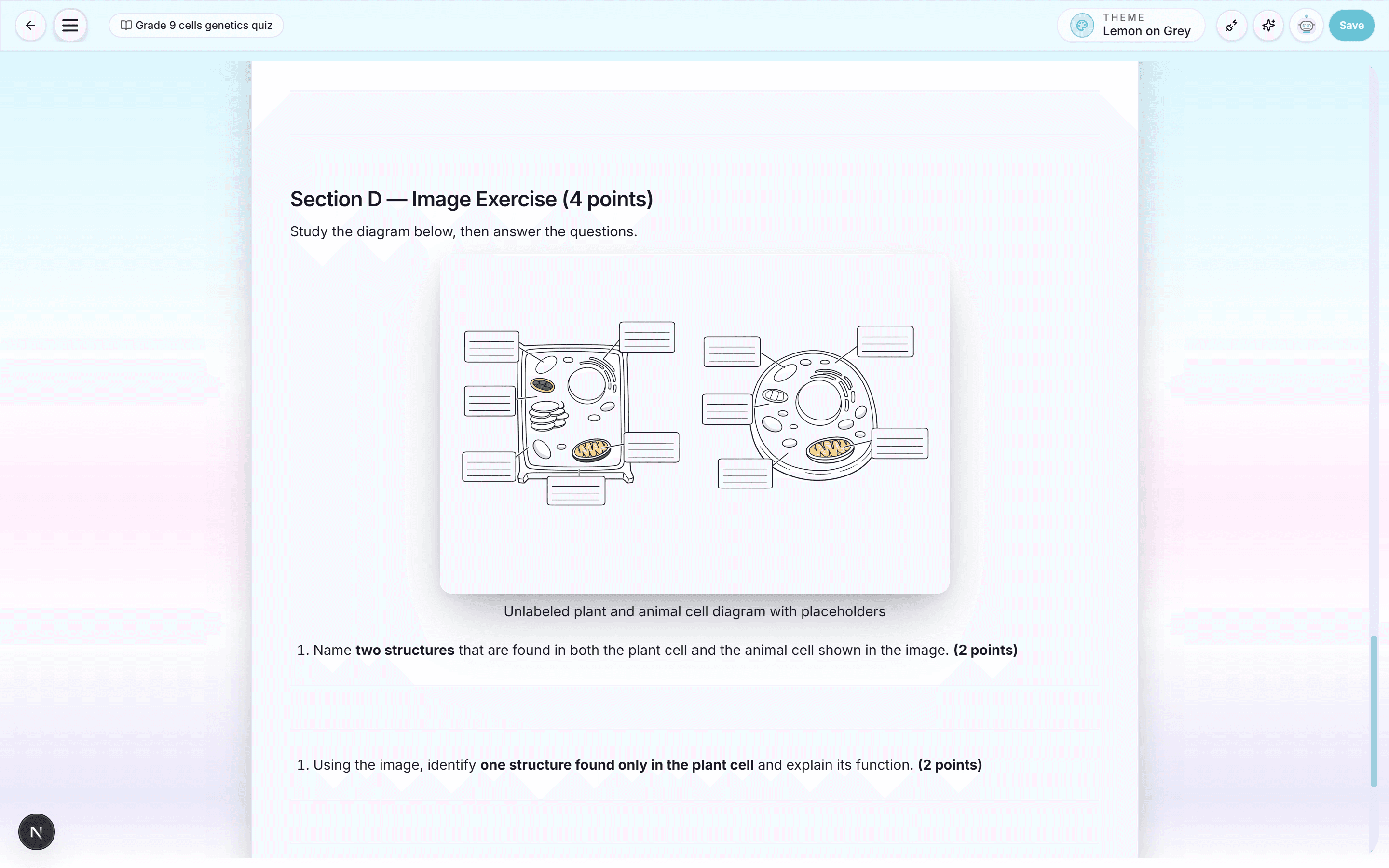
Conçu autour du document imprimé
WordPilot transforme les objectifs du programme et vos ressources en déroulé pratique. Demandez une accroche, un enseignement explicite, une pratique guidée, une activité autonome, une évaluation et une conclusion. Le document reste modifiable et peut être accompagné de tous ses supports.
Exemple de conversation
Crée cette fiche pour ma classe, ajoute le corrigé et garde une mise en page facile à imprimer.
La première version est prête. Relisez les questions et la mise en page.
Simplifie la question 2, ajoute un exemple et fais tenir le document sur deux pages.
Comment ça marche
Partagez objectif, classe, matière, durée, programme, langue et prérequis.
Fournissez programme, notes, lectures, images, matériel disponible et besoins des élèves.
Modifiez timing, pédagogie, groupes, aides, défis, vérifications ou devoirs.
Générez fiche, quiz, support, grille ou corrigé associé puis exportez l'ensemble.
Objectifs, critères de réussite, matériel, étapes minutées, questions et conclusion.
Aides, approfondissements, soutien linguistique, groupes et tâches alternatives.
Déroulé autonome avec contexte, consignes, ressources et activités de secours.
Associez préparation, supports, fiches, quiz, corrigés et devoirs.
WordPilot réduit le temps de production. Le jugement de l'enseignant reste la référence finale de qualité.
Questions fréquentes
Objectifs, critères, matériel, prérequis, étapes, questions, différenciation, évaluation, conclusion, devoirs et réflexion enseignant selon votre demande.
Oui. Ajoutez programme, notes, textes, images ou anciens supports et indiquez comment les utiliser.
Oui. WordPilot peut produire la préparation et tous les documents imprimables qui l'accompagnent.
Oui. Modifiez-la par chat, à la voix ou directement, puis adaptez-la à une autre classe, langue ou difficulté.
Oui, pour les documents. Enregistrez les modifications avant de choisir Word (.docx). Le contenu reste modifiable mais peut changer de page. Préférez PDF pour conserver la disposition ; les quotas habituels s’appliquent.
Ajoutez un DOCX, un PDF ou une image comme ressource. Demandez de conserver les illustrations originales, puis affinez par conversation ou édition manuelle. Enregistrez vos modifications avant de télécharger. Le PDF conserve la disposition ; Word permet de poursuivre l’édition, mais peut modifier la pagination.
Autres outils pédagogiques
Passez de la préparation aux exercices, à l'évaluation et aux documents scolaires sans recommencer le contexte.
Générateur de fiches IA avec téléchargement PDF et Word. Partez de vos idées, DOCX, PDF ou images, relisez les réponses et modifiez le contenu avant le téléchargement.
Lire la pageGénérateur d’évaluations IA avec corrigé, PDF et Word. Partez de vos idées, DOCX, PDF ou images, relisez les réponses et modifiez le contenu avant le téléchargement.
Lire la pageWordPilot aide les enseignants à créer, relire et améliorer fiches d'exercices, évaluations, cours, corrigés, grilles et documents scolaires par chat ou à la voix, puis à les exporter en PDF.
Lire la pageCréez un CV professionnel d'enseignant, d'éducateur ou de personnel scolaire avec WordPilot. Affinez chaque partie par chat ou à la voix, puis téléchargez un PDF prêt à envoyer.
Lire la page