Évaluation rapide
Quiz de début de cours, tickets de sortie, rappel et vérification du vocabulaire.
Générateur d’évaluations IA avec corrigé, PDF et Word. Partez de vos idées, DOCX, PDF ou images, relisez les réponses et modifiez le contenu avant le téléchargement.
Essai gratuit · Votre consigne est prête à modifier · Aucune compétence en design requise
WordPilot en pratique
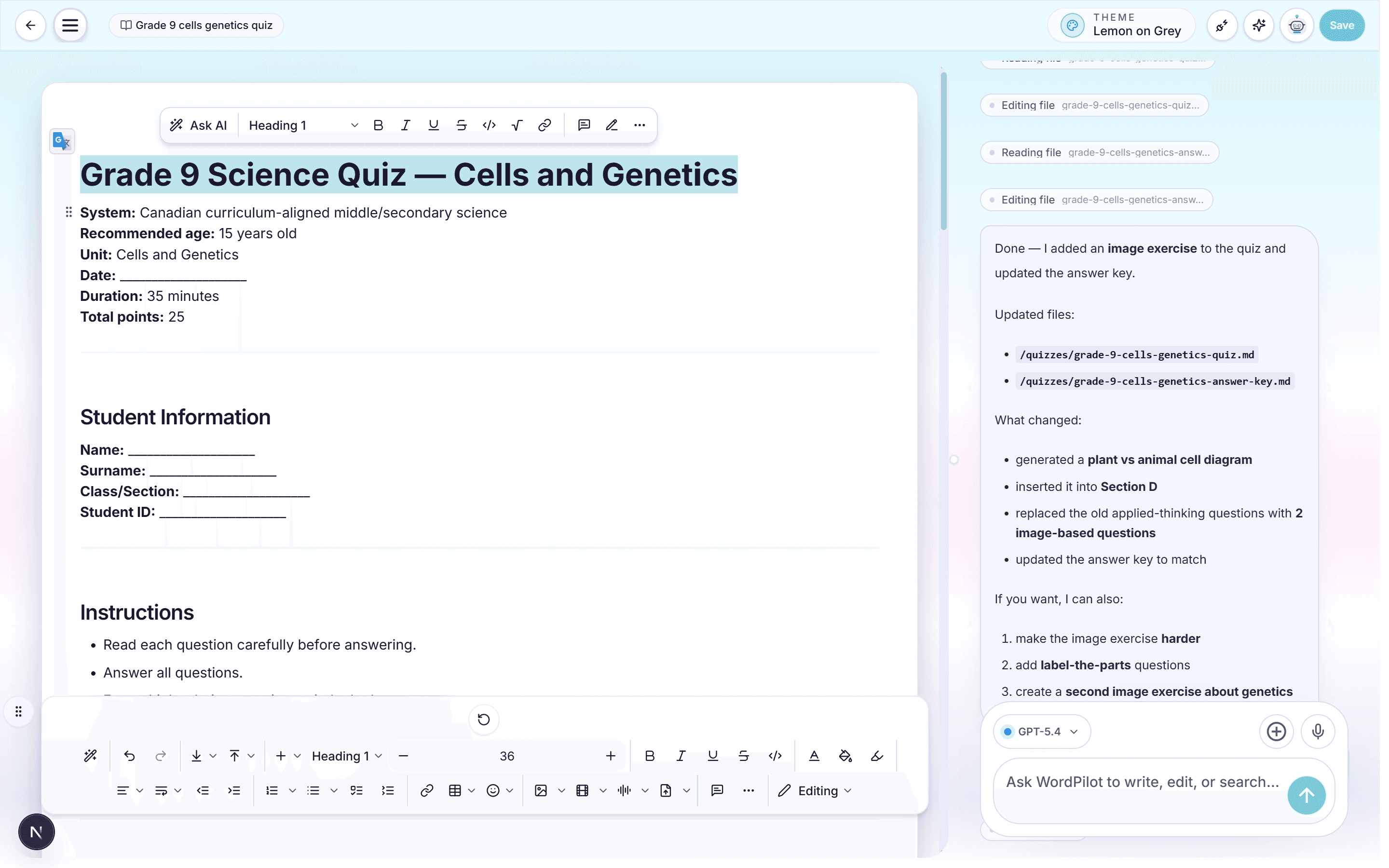
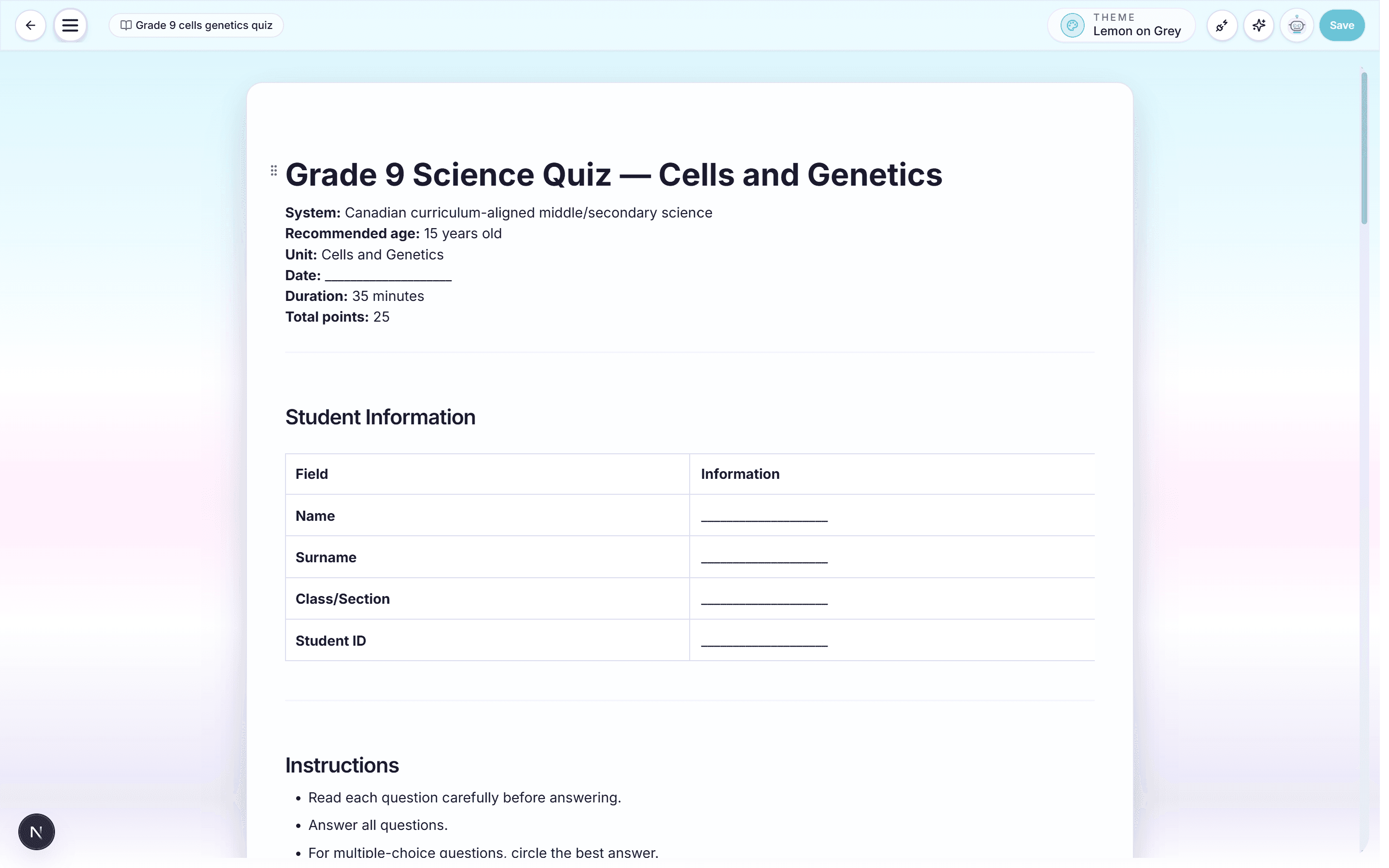
Conçu autour du document imprimé
Expliquez ce que les élèves doivent démontrer et la structure souhaitée. WordPilot rédige les sections, répartit les points, réserve l'espace de réponse et prépare le corrigé. Demandez ensuite un dernier exercice plus difficile, moins de pages ou une deuxième version équivalente.
Exemple de conversation
Crée cette fiche pour ma classe, ajoute le corrigé et garde une mise en page facile à imprimer.
La première version est prête. Relisez les questions et la mise en page.
Simplifie la question 2, ajoute un exemple et fais tenir le document sur deux pages.
Comment ça marche
Précisez matière, niveau, objectifs, durée, total des points, langue et format papier.
Joignez programme, cours, pages de manuel, images ou ancienne évaluation.
Ajustez difficulté, variété, barème, consignes, espace de réponse et pagination.
Contrôlez questions, calculs, réponses, points et sauts de page avant le PDF.
Quiz de début de cours, tickets de sortie, rappel et vérification du vocabulaire.
Sections, questions variées, points, consignes et champs d'identification.
Sujets A4 ou Letter avec tableaux, schémas, sauts de page et espace de réponse.
Corrigés, modèles de réponse, solutions détaillées, barèmes et versions alternatives.
WordPilot réduit le temps de production. Le jugement de l'enseignant reste la référence finale de qualité.
Questions fréquentes
Oui. Demandez un sujet élève et une version enseignant avec réponses, solutions, explications ou barème.
Oui. Fixez durée, total, formats, objectifs et difficulté, puis affinez le résultat par conversation.
Oui. Demandez une variante avec les mêmes objectifs et la même difficulté, mais des valeurs, exemples ou formulations différents.
Oui. Relisez l'examen sur des pages au format papier puis téléchargez un PDF prêt à imprimer.
Oui, pour les documents. Enregistrez les modifications avant de choisir Word (.docx). Le contenu reste modifiable mais peut changer de page. Préférez PDF pour conserver la disposition ; les quotas habituels s’appliquent.
Ajoutez un DOCX, un PDF ou une image comme ressource. Demandez de conserver les illustrations originales, puis affinez par conversation ou édition manuelle. Enregistrez vos modifications avant de télécharger. Le PDF conserve la disposition ; Word permet de poursuivre l’édition, mais peut modifier la pagination.
Autres outils pédagogiques
Passez de la préparation aux exercices, à l'évaluation et aux documents scolaires sans recommencer le contexte.
Générateur de fiches IA avec téléchargement PDF et Word. Partez de vos idées, DOCX, PDF ou images, relisez les réponses et modifiez le contenu avant le téléchargement.
Lire la pagePlans de cours IA et supports pédagogiques modifiables. Partez de vos idées, DOCX, PDF ou images, relisez les réponses et modifiez le contenu avant le téléchargement.
Lire la pageWordPilot aide les enseignants à créer, relire et améliorer fiches d'exercices, évaluations, cours, corrigés, grilles et documents scolaires par chat ou à la voix, puis à les exporter en PDF.
Lire la pageCréez un CV professionnel d'enseignant, d'éducateur ou de personnel scolaire avec WordPilot. Affinez chaque partie par chat ou à la voix, puis téléchargez un PDF prêt à envoyer.
Lire la page